Photo by Isabella Fischer on Unsplash
Pagination is SEO-safe when every page in the sequence has its own crawlable URL, a self-referencing canonical and plain links to the next and previous pages. Infinite scroll is safe only when it is built on top of exactly that structure. Most pagination problems we see in ecommerce, course and content sites come from skipping one of those three things, and the products or articles on page 4 quietly stop being found.
This guide is for marketing and ecommerce leads who need to brief a developer, or judge an agency’s audit, without becoming a technical specialist. It covers what to set up, what to avoid and how to check it.
TL;DR
- Give every paginated page its own URL, such as
?page=2, and a canonical tag pointing to itself, not to page 1. - Link pages with real
<a href>links. Google’s crawler does not click buttons or scroll. - Infinite scroll and “Load more” buttons need a paginated fallback: unique URLs per chunk, linked in sequence.
- Block or noindex filter and sort variations, but never the
?page=URLs you want crawled. - Check the result in Search Console’s URL Inspection tool, not by eye.
Table of Contents
- What pagination is and why it matters for SEO
- The setup that works: five rules
- Filters, sorting and the robots.txt trap
- Infinite scroll and “Load more” buttons
- How to check what Google actually sees
- Common mistakes
- Why this belongs in a wider ecommerce SEO plan
- Our perspective
- Getting the structure right with Vertical
- FAQ
- Sources
What pagination is and why it matters for SEO
Pagination splits a long list, such as a product category, a blog archive or a course catalogue, across several pages. Visitors move between them with “next”, “previous” and page-number links. Google’s documentation contrasts this with infinite scroll, where more items load as the visitor reaches the end of the page.
It matters because of what sits on the deeper pages. If page 1 of a category shows 24 products and the category holds 300, the other 276 products are reachable only through the paginated pages. Those pages are the crawl path to your products. Search Engine Land explains that pagination gives crawlers routes to deeply nested content, supports internal linking so pages are not orphaned, and helps search engines tell paginated pages apart from true duplicates.
For a retailer, that is revenue. A product Google cannot reach through your category structure is a product that has to rely on a sitemap or a feed alone.
The setup that works: five rules
Google’s pagination guidance, last updated in December 2025, is clear and short. Translate it into a brief for your developer like this.
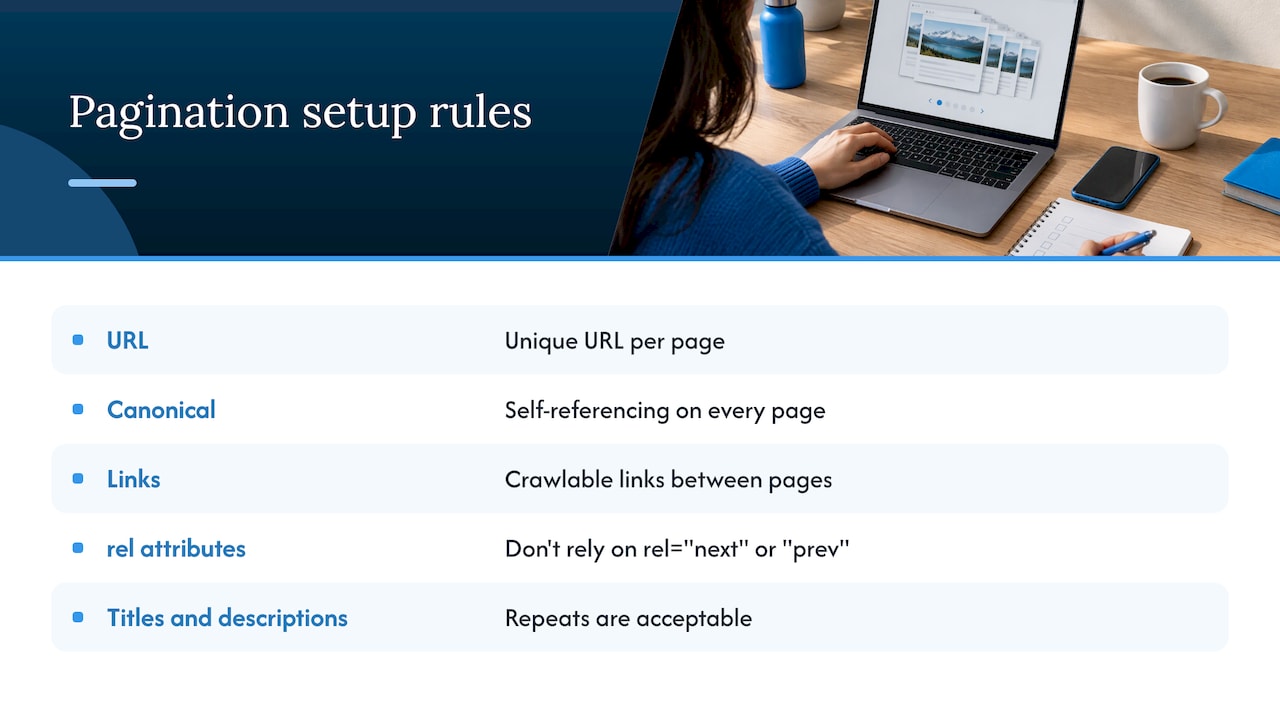
1. One unique URL per page
Each page in the sequence needs its own address, for example /shoes/?page=2. Do not use fragment identifiers (the part after a #) for page numbers, because Google ignores them. A page that exists only as a #page=2 state is, for search purposes, page 1.
2. A self-referencing canonical on every page
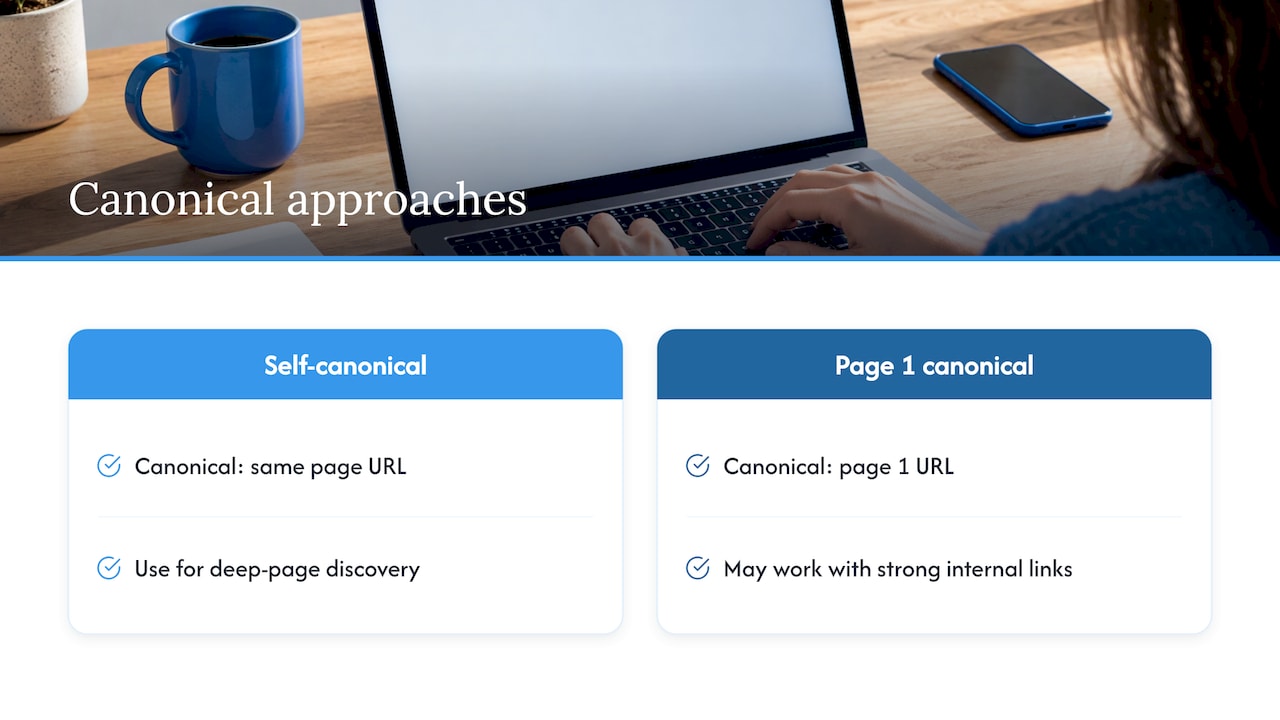
A canonical tag tells Google which URL is the main version of a page. On a paginated series, page 2 should name page 2, page 3 should name page 3, and so on. Google’s documentation says to do this rather than using page 1 as the canonical.
The old habit of pointing every page to page 1 was common for years. Search Engine Land warns that it removes the ranking opportunity for deeper pages and, in its words, “if you don’t have convincing data, don’t block the URLs”.
There is one nuance. Google’s John Mueller has said, as recorded by Lumar, that canonicalising to page 1 can work where internal linking is strong enough that products are found some other way. If you rely on Google crawling pages 2, 3 and beyond to discover content, use self-canonicals. For most ecommerce catalogues, that is the situation.
3. Real links between pages
Link the pages in sequence using <a> elements with an href attribute. Google says its crawlers generally follow URLs found in href attributes and do not click buttons or trigger JavaScript that needs a user action. A “Next” control built as a button with a script behind it looks fine to a visitor and is a dead end for the crawler.
A sensible pattern is links to the first page, the previous page, the next page and a few numbered pages around the current one. That keeps deep pages within a few clicks of the category page, which also helps your internal linking.
4. Do not rely on rel=“next” and rel=“prev”
Google once recommended these tags to consolidate a series. Its 2011 announcement now carries a note that they are no longer an indexing signal. They do no harm, but they do no work either. Spend the development time on the four points above.
5. Titles and descriptions can repeat
Google says pages in a paginated sequence do not need distinct titles or descriptions, because it tries to recognise them as a series. You do not need to rewrite metadata for 40 pages. Add the page number to the title if you want clarity for users, but it is not a requirement.
Filters, sorting and the robots.txt trap
Category pages usually come with filters (size, colour, price) and sort orders. Each combination can create a new URL, and those variations are where crawl budget (the number of pages Google is willing to fetch from your site) gets wasted. Google’s documentation advises keeping filter and sort-order variations out of the index, using a noindex robots meta tag or robots.txt.
The risk is a rule that is too broad. A pattern that blocks every URL containing a question mark will also block your ?page= URLs and cut off the deeper pages entirely. Test every robots.txt pattern against real paginated URLs before it goes live.
For stores with heavy filtering, we have covered the decisions in more depth in our guide to faceted navigation SEO. Treat the two as a pair: pagination decides how deep pages are reached, faceted navigation decides which variations are allowed to exist.
| URL type | Example | Index it? | Canonical |
|---|---|---|---|
| Paginated page | /shoes/?page=3 |
Yes | Itself |
| Filtered page | /shoes/?colour=red |
Usually no | Per your faceted navigation rules |
| Sorted page | /shoes/?sort=price |
No | Noindex or block |
| Page 1 | /shoes/ |
Yes | Itself |
Infinite scroll and “Load more” buttons
Infinite scroll is attractive for browsing. It cuts the effort of clicking through pages. The trade-off is a search problem. According to LogRocket’s UX comparison, without workarounds such as dynamic URL updates or preloaded paginated versions, search engines cannot crawl and index all of the content. It also notes that pagination offers better landmarks for screen-reader users, such as “Page 2 of 12”.
Google’s lazy-loading documentation describes the fix: support paginated loading underneath the scroll.
- Give each chunk of content its own persistent, unique URL, with the same content every time it loads. Use absolute page numbers such as
?page=12, not something that changes by date. - Link the chunk URLs to each other in sequence, so a crawler can walk through them.
- Update the address bar with the History API as a new chunk becomes the main thing on screen, so each section is shareable and crawlable.
- Trigger loading when content enters the viewport, rather than on scroll events.
The result is a page that behaves like infinite scroll for people and like pagination for Google. If your platform’s infinite scroll or “Load more” feature does not offer this, ask your developer or platform team whether the paginated URLs exist underneath it. If a sitemap or a Google Merchant Center feed lists your products, that helps Google find them, but it does not replace the crawl path.
Which should you choose?
NN/g advises against infinite scrolling when users need to find something specific, compare items in a long list or look only at the top few items. It suits homogeneous content with no particular task, such as news or social feeds. Most shoppers are doing exactly the tasks it lists: comparing and searching.
So for a product category, standard pagination or “Load more” built on paginated URLs is usually the safer default. For an inspiration-led feed, such as a lookbook or a content hub, infinite scroll with the fallback described above works well.
How to check what Google actually sees
Do not trust the browser. Check the source.
- Open Google Search Console and run a deep paginated URL, such as page 5, through the URL Inspection tool.
- View the rendered HTML and look for your product or article links. Google’s lazy-loading guidance says that if image or video URLs appear in
srcattributes there, the setup works. - Confirm the canonical Google selected matches the one you declared.
- Look at the Page indexing report for the status “Crawled, currently not indexed”. Brilad explains that this means Google fetched the page and chose not to index it. It becomes a problem when important product or service pages are affected. Loading spinners in the rendered HTML point to content that needs to be rendered on the server.
- Crawl your own site with a crawler tool and confirm that product pages deep in a category are reachable through links, not only through the sitemap.
Repeat this after any theme change, platform migration or filter update. Pagination breaks quietly, and a template change is the usual cause. A broader routine is in our 7 day technical SEO audit.
Common mistakes
- Canonicalising everything to page 1. Deep products lose their path to the index.
- A button-only “Load more”. Humans click it, crawlers do not.
- Noindexing paginated pages. Over time, Google may treat links on long-noindexed pages as less useful, and you lose the crawl path. Keep
?page=URLs indexable. - Blocking
?URLs in robots.txt. It catches pagination along with filters. - Too few items per page. Splitting 300 products into pages of 12 makes the sequence 25 pages long. Page size is a design call, but longer sequences put more distance between the category and the last product.
- Slow next-page loads. Google suggests considering preload, preconnect or prefetch to speed up movement to the next page, and our note on landing page speed covers why that matters for conversion as well.
Why this belongs in a wider ecommerce SEO plan
Pagination is a small piece of technical SEO, but it sits where three decisions meet: site architecture, platform capability and merchandising. A developer can implement self-canonicals in an afternoon. Deciding how many products belong on a page, which filters are allowed to be indexed and how categories link to each other is a strategic job. We cover the larger picture in our ecommerce SEO framework and what a review should deliver in what a technical SEO audit fixes.
Our perspective
Pagination problems are rarely a single bug. They are the product of three teams working separately: a designer who wants a smooth scroll, a developer who builds it in JavaScript, and a marketer who later wonders why page 6 of a category never appears in search.
This is the problem we built Vertical around. Strategy, creative, performance marketing and web development sit in one team, so the person deciding how a category page looks is in the same conversation as the person who knows how it will be crawled. That removes the hand-offs where a canonical tag or a link structure gets lost.
Our advice is simple. Decide the URL structure before the design. Keep every product reachable through links. Measure what Google has indexed, not what the page looks like in a browser. Clarity at the start saves months of recovery later.
Alex
Getting the structure right with Vertical
If your category pages, course catalogue or blog archive are paginated and you are not sure Google reaches the deeper pages, we can look at it as part of a wider growth plan. Vertical offers search engine optimisation, website design and development and eCommerce management under one roof, so the fix, the build and the measurement are handled by the same team. You can see everything we do on our services page.

We work with ecommerce brands, B2B companies, educators and consumer service businesses, with project, retainer or advisory engagements.
FAQ
Is pagination bad for SEO?
No. Done properly, it gives Google a crawl path to every item in a long list. Problems come from the implementation: wrong canonicals, button-only navigation or blocked URLs. Google’s guidance describes how to set it up correctly.
Should paginated pages be canonicalised to page 1?
Generally no. Google’s documentation says each page should have its own self-referencing canonical. Pointing everything to page 1 can stop deeper pages and the products on them from ranking. The exception is a site where strong internal linking already surfaces every item.
Is infinite scroll bad for SEO?
Only when it is built on JavaScript alone. Crawlers do not scroll or click, so content that loads only on those actions can stay hidden. If each chunk has a unique, linked URL and the address updates as the visitor scrolls, search engines can reach all of it.
Do I need unique titles and meta descriptions on every paginated page?
No. Google says pages in a sequence can share titles and descriptions because it recognises them as a series. Adding a page number to the title is optional.
Should I still use rel=“next” and rel=“prev”?
They are no longer an indexing signal for Google, so they are not needed. Focus on unique URLs, self-referencing canonicals and crawlable links.
Sources
- Pagination Best Practices for Google, Google Search Central
- Fix Lazy-Loaded Website Content, Google Search Central
- Pagination with rel=“next” and rel=“prev”, Google Search Central blog
- Pagination and SEO: What you need to know, Search Engine Land
- How Google Deals With Pagination, Lumar
- Pagination vs. infinite scroll, LogRocket
- Infinite Scrolling: When to Use It, When to Avoid It, NN/g
- How to Fix Crawled, Currently Not Indexed on JavaScript Sites, Brilad